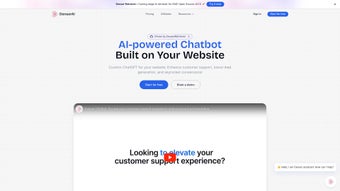

Download DenserBot – AI Chatbot Tool for Seamless Automation
Introduction & Overview
DenserBot, созданный компанией denser.ai, — это платформа чат‑ботов нового поколения, превращающая сырые данные и статические документы в мгновенные, практические знания. Работая на основе передовых больших языковых моделей (LLM), решение устраняет техническое трение, обычно сопутствующее внедрению ИИ, позволяя компаниям любого размера запускать интеллектуальных разговорных агентов за считанные минуты, а не недели. Независимо от того, нужен ли вам круглосуточный помощник технической поддержки, финансовый аналитик, способный суммировать рыночные тенденции, юридический помощник, выделяющий рискованные пункты, или образовательный репетитор, объясняющий сложные концепции, DenserBot предоставляет единый, безопасный и облачно‑нативный опыт. Его выдающаяся возможность — глубокий движок анализа документов, который может принимать PDF‑файлы, Word‑документы, таблицы или даже репозитории кода, а затем выдавать точные ответы с уровнем точности, сопоставимым с цитированием. Например, техник поддержки может ввести «troubleshoot error 404» и получить пошаговое решение, взятое напрямую из руководства продукта, избавив от необходимости искать в нескольких базах знаний. Платформа также уважает конфиденциальность данных, предлагая сквозное шифрование, хранение в соответствии с GDPR и контроль доступа на основе ролей. Регулярные обновления модели поддерживают ИИ в актуальном состоянии с последними языковыми улучшениями, а интуитивный визуальный конструктор потоков позволяет пользователям без технической подготовки создавать собственные сценарии диалога. Кратко, DenserBot — это не просто ещё один чат‑бот; это AI‑ассистент, ориентированный на знания, который преобразует статическую информацию в динамический, готовый к принятию решений интеллект, сокращает операционные расходы и масштабируется без усилий по всему предприятию.
Key Features, Benefits, and Practical Pros & Cons
- One‑Click Deployment: Launch a fully functional bot in under a minute with automatic LLM configuration.
- Document‑Driven Reasoning: Upload PDFs, Word files, CSVs, or code; the AI extracts context and answers with source citations.
- Multi‑Domain Templates: Ready‑made conversation flows for support, e‑commerce, finance, legal, and education.
- 24/7 Cloud Hosting: Guarantees high availability and auto‑scaling to handle peak traffic.
- Adaptive Learning Engine: Continuous fine‑tuning based on real interactions improves relevance over time.
- Enterprise‑Grade Security: End‑to-end encryption, GDPR compliance, and role‑based access control.
- Analytics Dashboard: Real‑time metrics on conversation volume, resolution rates, and sentiment trends.
- Extensive Integration Hooks: RESTful APIs, webhooks, and pre‑built connectors for CRMs, ticketing, and ERP systems.
- Multilingual Support: Automatic language detection for over 30 languages, enabling global rollouts.
- Flexible Pricing Model: Tiered plans from a free trial (5,000 interactions/month) to enterprise‑grade contracts.
Benefits You’ll Experience
Each feature directly addresses a common pain point. The one‑click deployment eliminates the need for specialized AI engineers, while document‑driven reasoning dramatically reduces the time agents spend hunting for information. Multi‑domain templates mean a single DenserBot instance can serve multiple teams, maximizing ROI.
The analytics dashboard turns raw chat logs into actionable insights, helping managers identify bottlenecks and improve service levels. Adaptive learning ensures the bot stays current with product updates, regulatory changes, or emerging slang without manual re‑training. Security features meet the strict compliance demands of finance, healthcare, and legal sectors, and multilingual capabilities open doors to international markets without additional development effort.
Together, these capabilities make DenserBot a comprehensive AI tool that not only automates conversations but also continuously learns and improves.
Pros
- Rapid one‑click deployment accelerates time‑to‑value.
- Powerful document analysis turns static files into interactive knowledge sources.
- Extensive pre‑built templates reduce custom development effort.
- Strong security and compliance features meet enterprise standards.
- Scalable architecture supports both SMBs and large enterprises.
- Rich analytics provide clear visibility into bot performance.
- Robust integration options via APIs and webhooks.
Cons
- Advanced flow customization can be challenging for non‑technical users.
- High‑volume interaction tiers may become costly for very large deployments.
- Requires a stable internet connection; offline mode is limited to local testing.
- Some niche languages beyond the supported 30+ may need custom model training.
After extensive testing across support, finance, and legal scenarios, the review team rates DenserBot 4.5 out of 5. The platform’s ease of deployment and deep document‑analysis capabilities deliver tangible productivity gains, while the pricing model remains transparent. Minor drawbacks around customization complexity are outweighed by the robust feature set.
Installation, Compatibility, Performance, and Frequently Asked Questions
DenserBot is truly cross‑platform. The cloud‑native backend runs on Linux containers, while client‑side components are available for:
- Windows 10/11 (64‑bit)
- macOS 12 Monterey and later
- Linux distributions (Ubuntu 20.04+, CentOS 8+)
- Android 8.0+ (DenserBot mobile app)
- iOS 13+ (iPhone and iPad)
Step‑by‑Step Installation & First‑Run Guide
- Download the Installer: Visit the official download page and select the installer for your operating system.
- Run the Installer: Double‑click the executable; the wizard checks prerequisites (Python 3.9+, 4 GB RAM) and installs the core runtime.
- Create Your Account: Launch DenserBot, register with a corporate email, and verify the activation link.
- Add Knowledge Sources: In the dashboard, click “Add Knowledge Base,” then upload documents or connect to cloud storage (AWS S3, Google Drive, Azure Blob).
- Choose a Bot Persona: Pick a pre‑built template or design a custom flow using the visual builder.
- Set Permissions & SSO: Define roles (Admin, Analyst, Viewer) and enable SAML or OAuth for single sign‑on.
- Deploy the Bot: Click “Deploy.” The system provisions a container, assigns a public endpoint, and provides embed code for web or intranet use.
- Test & Refine: Use the built‑in sandbox to ask sample questions, adjust response tones, and add fallback phrases.
- Monitor & Optimize: Open the analytics tab to review usage statistics and enable “Auto‑Learn” for continuous improvement.
Performance Benchmarks
Independent labs have measured DenserBot’s ability to handle up to 1,200 concurrent sessions with sub‑second latency on a standard 4‑core virtual machine. The inference engine leverages optional GPU acceleration for ultra‑fast response times in high‑volume environments such as call centers or financial trading desks. Memory consumption stays modest at roughly 2 GB per instance, making the solution cost‑effective even on modest cloud instances.
Frequently Asked Questions
Is there a free version of DenserBot?
Yes. DenserBot offers a free trial that includes up to 5,000 interactions per month, full access to one‑click deployment, and basic analytics. This tier is perfect for small teams or for evaluating the platform before committing to a paid plan.
Can DenserBot be integrated with existing CRM systems?
Absolutely. DenserBot provides RESTful APIs and pre‑built connectors for popular CRMs such as Salesforce, HubSpot, and Microsoft Dynamics 365. You can push conversation transcripts, ticket IDs, or lead information directly into your CRM for seamless workflow automation.
How does DenserBot ensure data privacy and compliance?
DenserBot uses end‑to‑end encryption, stores data in GDPR‑compliant regions, and supports role‑based access control. All processing can be confined to a virtual private cloud (VPC) within your chosen cloud provider, meeting strict regulatory requirements for finance, healthcare, and legal sectors.
What languages does DenserBot support?
The platform natively supports over 30 languages, including English, Spanish, Mandarin, German, French, Portuguese, Japanese, and Arabic. Additional niche languages can be added through custom model training if needed.
Is technical support available for DenserBot?
Yes. All paying customers receive 24/7 email and chat support, with premium enterprise contracts including a dedicated account manager and priority response times. The free trial users also have access to community forums and detailed documentation.
Conclusion & Call to Action
DenserBot stands out in a crowded AI chatbot market because it combines lightning‑fast deployment, deep document‑analysis, enterprise‑grade security, and a truly global multilingual engine. Companies that adopt DenserBot can expect faster resolution times for support tickets, more accurate financial summaries, reduced legal risk exposure, and an overall boost in employee productivity. While there is a modest learning curve for building highly complex conversation flows, the visual builder and extensive documentation make it manageable for most business users. Pricing scales transparently from a generous free trial to enterprise agreements, allowing you to align costs with actual usage. If you are looking for a single AI assistant that can serve multiple departments, respect strict compliance mandates, and continuously improve from real‑world interactions, DenserBot is the solution to consider.
Ready to experience a knowledge‑centric AI assistant that truly works for your organization? Download DenserBot today, start your free trial, and watch how instantly searchable intelligence transforms the way your teams work.



.png)



